Win the sale before they leave
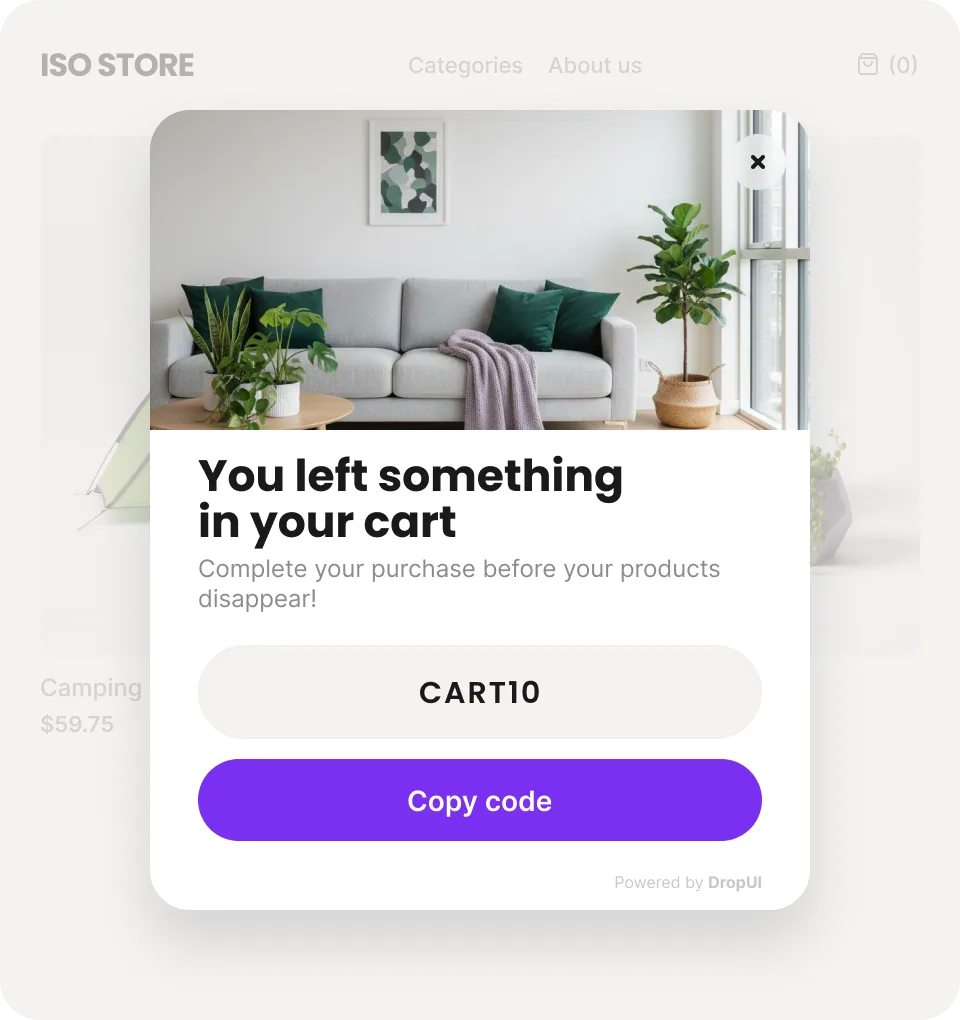
Captures exit intent and gives the shopper one last reason to buy.
We will help you implement DropUI at no extra cost and launch your first scenarios. Contact Krzysztof: krzysztof@dropui.com
Increase sales from the same traffic with popups, web push, on-site personalization, and A/B testing. Capture buying intent, recover visitors, and measure impact in one system. WhatsApp, SMS, and email are coming soon.
Before you continue, explore the scenarios you can launch with DropUI. From increasing cart value and recovering abandoned sessions to leads, web push, and communication embedded directly in the store UI.
Captures exit intent and gives the shopper one last reason to buy.
Reacts before the visitor leaves and improves the chance of completion.
Encourages one more item without lowering order value.
Shows the discount only after a profitable order threshold is reached.
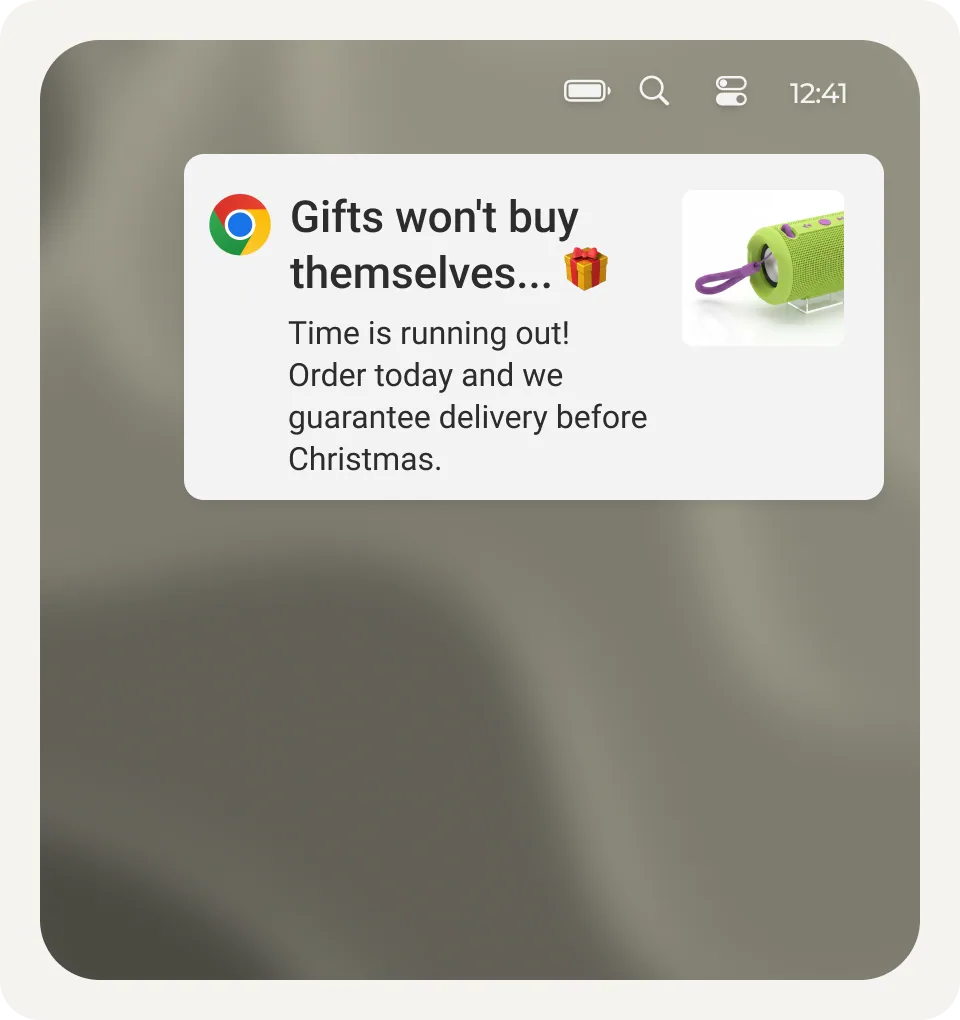
Web push recovers traffic that left without converting.
A welcome code gives a new visitor a reason to act immediately.
Combines a first-order offer with owned audience growth.
Suggests add-ons at the moment of highest buying intent.
Shows the exact amount left to the threshold and simplifies the decision.
Puts the offer back in front of them and revives buying intent.
Shows logical add-ons before the shopper moves on.
Turns anonymous traffic into a lead or customer.
Makes the first visit count before the visitor leaves.
Recommendations increase order value without extra traffic.
Complementary products reinforce the decision and raise cart value.
Related products expand choice and grow the order.
A progress bar motivates the shopper to cross the threshold.
The message works best when the shopper is already close.
A countdown reduces the urge to postpone the purchase.
A flash sale shortens hesitation and increases urgency.
A time-limited offer increases urgency without rebuilding the store.
An end-of-offer message helps close the decision in the same session.
A time-based message works best on ready-to-buy traffic.
A popup captures the visitor before they leave without a contact.
A signup form grows your list with minimal setup.
A lead form turns traffic into usable sales data.
A lead magnet improves signup rate and lead quality.
A quiz can outperform a standard form on conversion.
A survey segments visitors from the very first interaction.
Spin-to-win increases signup intent with instant reward mechanics.
A scratch card builds suspense and increases willingness to sign up.
A before-exit offer gives one last buying argument.
A short message recovers attention in the same session.
A cart threshold helps protect margin and keep the offer profitable.
Shows the exact amount missing to unlock free shipping.
Product page recommendations help add more items to the order.
Cart recommendations work at the highest buying intent.
Increases order value without adding friction to checkout.
An inline product block works right where the decision happens.
An in-cart block helps lift order value at exactly the right moment.
A CTA block shortens the path to conversion.
An embedded form captures leads without interrupting the journey.
A countdown bar reminds shoppers the offer is ending without blocking the page.
An embedded countdown works right where the buying decision happens.
Promo banners and blocks reinforce the offer in key store areas.
Product feeds and sliders increase offer exposure across the store.
A quiz combines a first-order incentive with smarter qualification.
A survey helps match the offer from the very first visit.
Spin-to-win lifts conversion among first-time visitors.
A scratch card adds surprise and increases willingness to act.
A contact form captures visitors who are ready to talk now.
A phone form builds higher-intent leads.
A consent form builds an audience ready for future actions.
A preference form gives you data for better personalization.
A feedback form helps you understand what blocks conversion.
A short form gives quick insights from live traffic.
A shopping survey helps match the offer more precisely.
A product quiz combines guidance with a higher chance of purchase.
A preference survey makes personalization easier from the first visit.
A promo + countdown block strengthens time-limited offers.
A sales block reinforces the pitch just before add-to-cart.
An in-cart block helps remove final objections.
A seasonal block helps you move fast on promotions and sale periods.
An inline cart message works exactly where it should.
A promo bar adds visibility without blocking content.
An info bar guides the user smoothly without disrupting the experience.
An image-based popup adds stopping power where copy alone is not enough.
Phone leads work where fast human follow-up matters.
A choice-guidance scenario shortens the path from interest to decision.
Triggers the right message at the right moment in the journey.
Different messaging for new and returning traffic makes the offer more relevant.
A different offer for guests and customers often converts better than one generic message.
Different messaging for mobile and desktop improves results without changing the offer.
The offer shows up when the visitor is most ready for the next step.
Better language matching reduces friction and improves message performance.
Language personalization improves offer fit and reduces abandonment risk.
One campaign logic lets you move faster across many markets.
Channel-specific messaging often improves conversion and traffic efficiency.
The campaign triggers only when it makes business sense.
Better cart matching increases conversion potential and AOV.
You show the offer later, but in a better moment and with less friction.
Scroll depth and activity help you show the offer to visitors who are seriously considering a purchase.
Exit intent creates one final window to recover attention and sales.
Frequency limits protect performance and keep the experience from becoming annoying.
New contacts land where they can immediately support sales.
The lead gets to follow-up faster, so fewer opportunities are wasted.
A new lead can move straight into the next sales or retention flow.
You collect the contact and consent in one step, ready for follow-up.
Captured contacts can later recover users and help close more sales.
Spin-to-win grabs attention and increases offer redemption.
A scratch card uses curiosity to push faster action.
A discount wheel combines play with an immediate reason to buy.
A discount scratch card increases engagement and memorability.
Game mechanics reduce friction for first-time visitors.
Gamification often outperforms classic forms on signup rate.
Game mechanics can recover attention better than a standard discount.
Gamified mechanics work especially well around events and sales.
Web push reminds users about unfinished purchases after they leave.
A push reminder helps reactivate an interrupted decision.
Shortens the path to resuming the purchase after exit.
A return-to-store push brings attention back to the offer.
A back-in-stock notification captures demand that was previously lost.
A loyalty scenario helps you sell beyond the first purchase.
A new-user offer turns fresh traffic into customers faster.
A first-visit message works while attention is still fresh.
Adds one more reason to complete the first purchase now.
Helps monetize anonymous traffic before it ever becomes a customer.
A guest-focused form lets you recover value even without a purchase.
A scarcity message increases urgency and perceived value.
Strengthens the final impulse to act.
An urgency bar speeds up decisions without a more aggressive popup.
A ready-made scenario helps you close more sales in the busiest shopping window.
Holiday campaigns help monetize seasonal demand faster.
Sale scenarios extract more from traffic that is already ready to buy.
Lets you move fast on a seasonal sales opportunity without building from scratch.
Weekend campaigns help monetize short peaks in purchase intent.
Payday campaigns hit exactly when readiness to buy increases.
Launch campaigns focus attention and help sales ramp faster.
Turns seasonal moments into measurable sales outcomes faster.
An 18+ popup protects the offer without breaking the entry flow.
An age gate handles compliance and access control in one step.
A consent popup handles formal requirements without adding user friction.
Lets you meet formal requirements without breaking the purchase flow or UX.
How it works
This is not another random popup. It is the first module of your conversion platform. Define display rules, measure impact, and keep only the campaigns that actually lift sales and conversion.


AI Assistant speeds up production: it suggests layout, copy, and CTA while you refine the details and get campaigns live faster.
After the popup
A popup opens the conversation, but conversion does not end with a popup. Then you activate the next system modules and close more sales on-site and after exit. Everything is measured in one analytics flow.

On page
Place a form, countdown, or sales block near the product so the decision happens where buying intent is strongest.

On page
Bars reinforce promotions, free shipping, or urgency without blocking the whole page.

After exit
Visitor left without buying? Web push brings attention back and recovers part of the lost buying intent.
Coming soon

After exit
Automated reminders and offers delivered directly on WhatsApp.

After exit
Short messages triggered where fast response matters most.

After exit
Post-visit sequences that recover users and help close purchases.
Artificial intelligence
You have the channels. Now you need to match the offer, the moment, and the scenario. The AI agent points faster to the campaign most likely to drive results.
What the AI agent does
It takes over the most time-consuming stage: moving the campaign from idea to a ready draft.
This is where advantage usually begins: a better campaign ready when timing truly makes the difference.
Designs campaigns through conversation.
You use plain language and the agent turns it into a draft ready for the next step.
Creates copy and visuals.
It prepares campaign assets instead of leaving you with only a brief and a blank screen.
Matches campaigns to brand, store, and season.
On demand, it analyzes your store and builds campaigns around your brand. 14 days before a sales event, it proactively surfaces scenarios worth launching.
Decision layer
After launching your popup and follow-up channels, this is where you decide what stays, what gets cut, and what deserves more budget.
2.1x
average increase in recovered users
Compare variants and keep the one that delivers the strongest sales outcome.
Leads and customer activity go straight into your pipeline, so your team can follow up faster and close more deals.
Track views, funnel steps, CTA clicks, and user behavior in every campaign.
One operational analytics layer instead of scattered reports and manual data stitching.
Configure e-commerce, language, and audience segments so each variant reaches exactly the right traffic.
Google Analytics 4 connects campaign output with business metrics and helps evaluate real conversion impact.
Why now
The mechanics are simple: launch now and measure the result, or keep losing traffic you already paid for.
You pay to acquire the visit, but without recovery scenarios that cost ends after the first session. Traffic disappears together with conversions that follow-up could still recover.
Who launches earlier collects data sooner, tests variants faster, and captures demand before the peak. While you wait, competitors take the easiest conversions.
Each delayed week means less data, fewer iterations, and slower decisions. You postpone the moment the system starts compounding results.
Case study: Maxy.eu
A mid-sized e-commerce brand combined popups, post-exit recovery, and A/B testing in one system. The result: stronger performance from existing traffic without increasing media spend or rebuilding the whole stack.
Best fit
When traffic already exists and efficiency is the main lever
Fastest payback
When you test offers, CTAs, and timing instead of only raising spend
Lowest friction
When you want a new conversion layer without rebuilding the whole stack
Implementation scope
The team improved the existing funnel first, then scaled activity. That matters because the cheapest growth usually sits inside traffic you already have.
This example shows how the platform works in practice: improve results from existing traffic first, then scale.
+24%
after intent-matched messaging
1.8x
when popups and recovery run as one system
5 min
from idea to first live scenario
Display rules were launched based on intent and visit context.
Follow-up was added with consistent messaging across touchpoints.
Variants were optimized for business outcomes, not intuition.
First improve the efficiency of traffic you already buy. Then scale budget. That is exactly why this layer pays back quickly and drives results before more costs show up.
In your stack
If you want to sustain higher return from traffic, your conversion layer, data, and automation cannot live in separate silos. Integrations connect them into one system without manually passing leads, events, and decisions between tools.
Most selected connections
E-commerce
CRM, analytics & automation
These are only the most selected integrations. In practice, the point is simple: you launch the system faster and see performance impact sooner.
How to start
You get a free plan, ready integrations, and a short setup. That lets you validate the first scenario before a bigger rollout, a larger system, or more paid traffic.
Start with email or Google, without long onboarding or a sales call.
Paste one script or choose a ready integration so campaigns, data, and automation run in one place.
Launch your first scenario and quickly see whether the same traffic starts generating more orders, leads, or higher cart value.
Ready to launch
Create an account, launch the free plan, and see how quickly the first scenario starts driving sales and conversion. If the result is there, scale the system and limits after that.